
![[XenCustomize] Profile Audio Player & Library - Music and Lyrics](https://data.staraddons.store/resource_icons/0/55.jpg?1761478286)




- Language
- English
- Compatible XF 2.x versions
- 2.2
- 2.3
- Additional requirements
- Browser Detection v2.3.0+ by Xon
Introducing the premier profile music add-on for XenForo 2, bringing your profile to life! 
My journey with XenForo is as long-standing as the platform itself. Over time, I've seen many requests for a profile music addon for XenForo 2. Now, with XenCustomize, I've put in my best effort to offer a solution. Hoping the XenForo community values this sincere effort. Express Yourself with Music Elevate your XenForo 2 community profiles by adding your favorite custom music tracks. Share your musical taste with others in a fun and unique way.
 Easy for Everyone You don't need to be a tech expert to use this. Just upload your music, and the Profile Audio Player will do the rest.
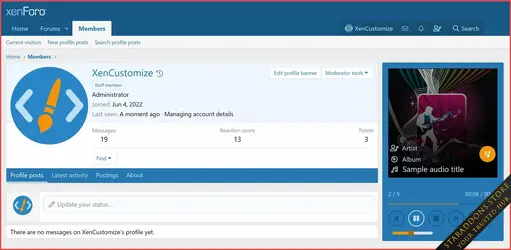
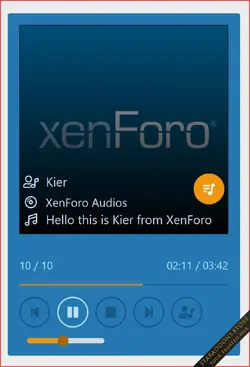
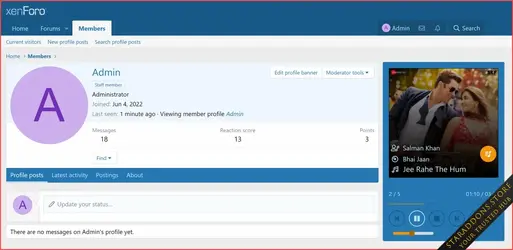
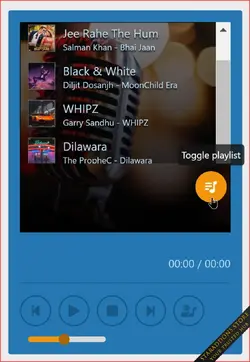
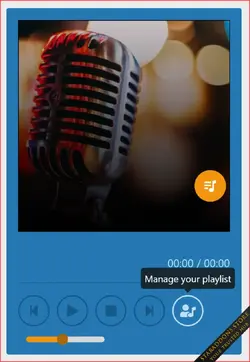
 Admin Control, Your Way Tailor the experience to your community's preferences with admin options. Enable or disable the Player with a single click, and choose whether audio tracks autoplay site-wide when profiles load. You're in control. Immersive Audio Player Experience music like never before with our stylish, HTML5, CSS3 and jQuery-based Audio Player. It's more than just play and pause – enjoy artist names, album details, track duration, progress bars, reactions, and even a playlist button for uninterrupted listening pleasure.
 Visual Brilliance The Profile Audio Player doesn't just sound great – it looks stunning too. With album artwork integration, your users' profiles will come alive with vibrant visuals that perfectly complement their musical choices.
 Make it Yours With dozens of style properties, you can customize the Player's appearance and design to match your community's unique identity. Set the mood and create an immersive experience like no other.
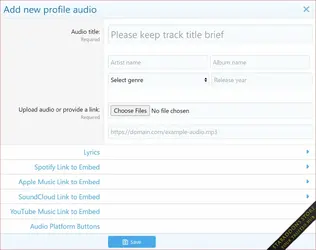
 Seamless Management Integrates well into the Player, Account wrapper and Visitor menu. Users can manage unlimited audio tracks with individual input fields, including audio uploads or URLs, artist names, song titles, album names, and even the ability to upload custom album art.
 Effortless Translation If your site supports multiple languages, our product is fully phrased, making it easy to translate into different languages and connect with users from around the world.
 Be a Trailblazer Be the first in your community to have this unique Profile Music add-on. Share your love for music with friends and fellow members.
 Feel the Music Experience the joy of music as it fills your profile. Let your favorite tunes speak for you.
 Profile Audio Editing
- Users have the ability to edit their existing profile audio entries.
- Permission checks are performed to determine if users have the necessary rights to edit profile audio entries.
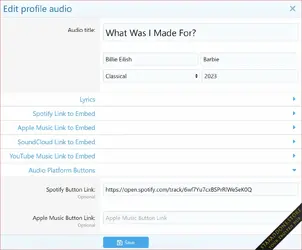
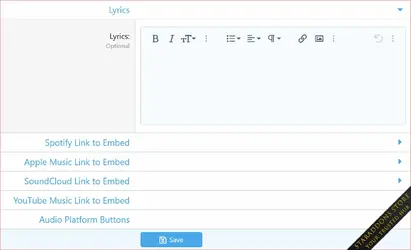
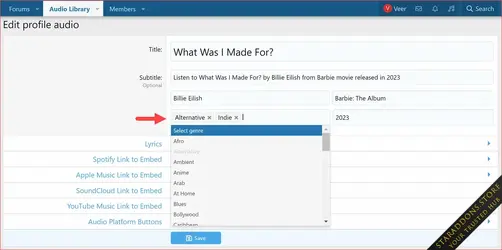
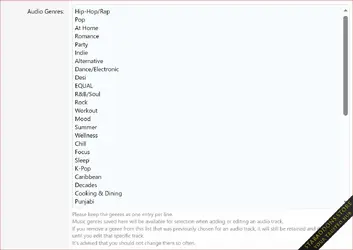
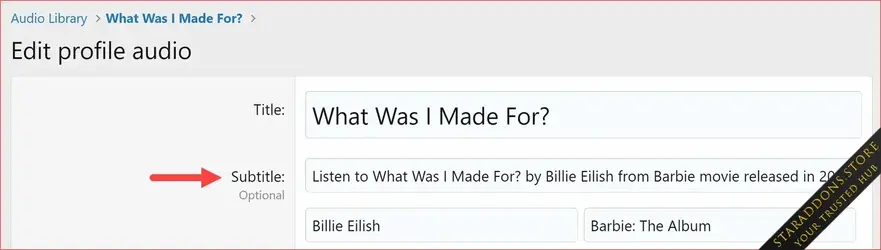
- Users can make edits to various details of the profile audio, including title, artist, album, genre, release year, and more.
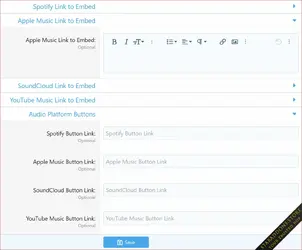
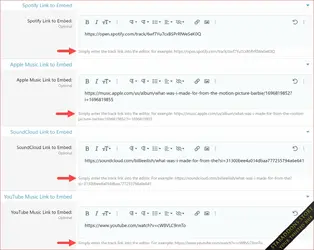
- Users can also edit external links that lead to services such as Spotify, Apple Music, SoundCloud, and YouTube Music.
- Validates user input and saves the edited profile audio entity.
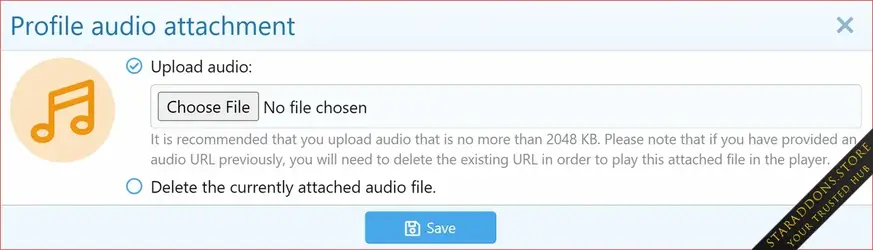
- Separate link for uploading and deleting audio attachment for profile audio (overwriting existing file).
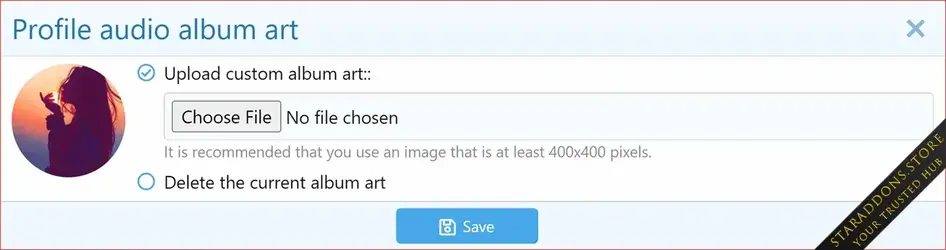
- Separate link for uploading and deleting album art for profile audio (overwriting existing image).
 Audio Attachment Support
- Users can attach audio files to their profile audio entries, supporting various audio formats.
- Compatibility is checked based on the file extension.
- Removed the legacy v1 audio upload functionality and introduced a new method following the standard used by official XF add-ons.
- Added temporary support for previously uploaded v1 audios as a fallback option for new audio attachments.
- Introduced a method to generate attachment URLs with cache control.
Profile Audio Viewing
- Users can now view their own profile audio tracks as well as those of other users.
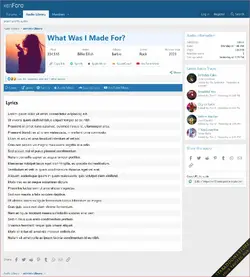
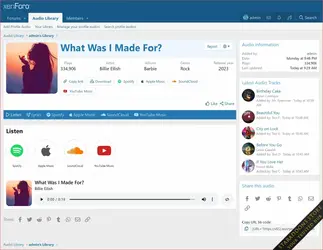
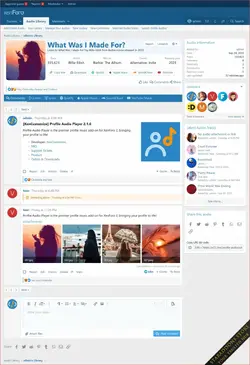
- Introduced a familiar user interface with convenient navigation through tabs, breadcrumb, and sidebar widgets.
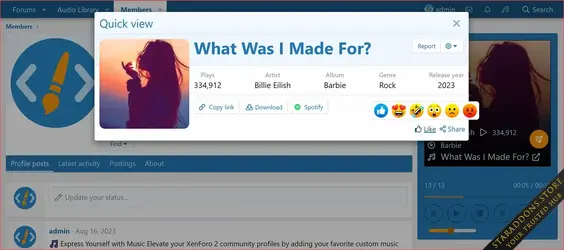
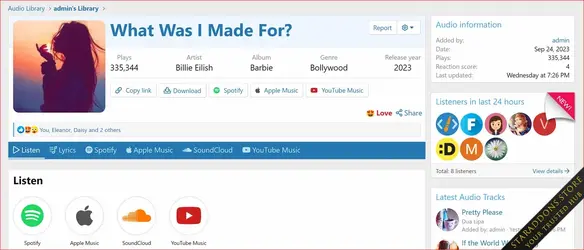
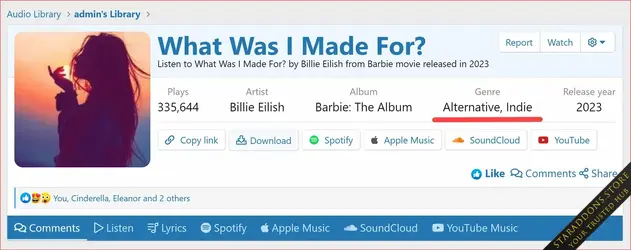
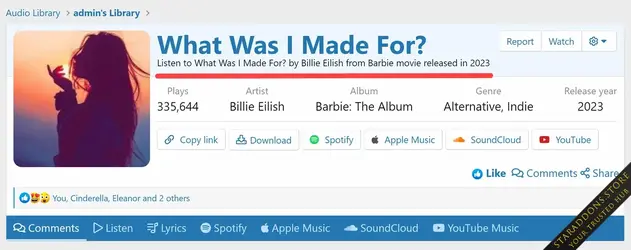
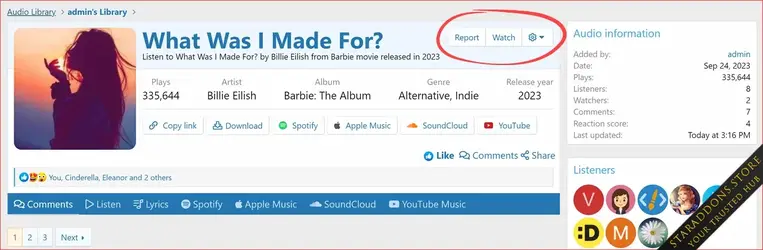
- Users can easily view and edit profile audio details, including audio, title, artist, lyrics, album, album art, genre, release year, and more.
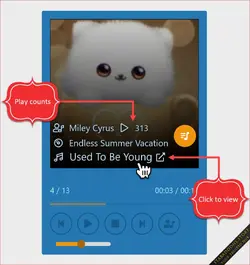
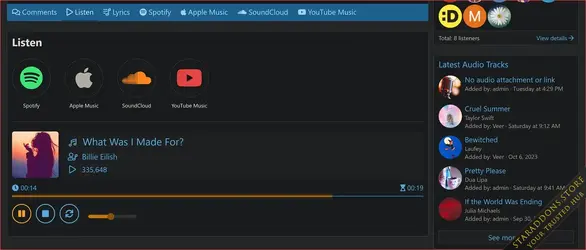
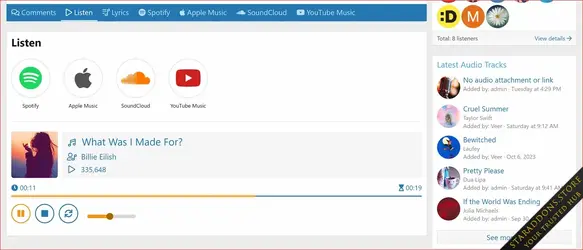
- Introducing a sleek Minimelody player with album art, title, artist, play/pause, repeat, and volume controls for an enhanced audio experience.
- Users with permission can play and listen audio track right on the view page.
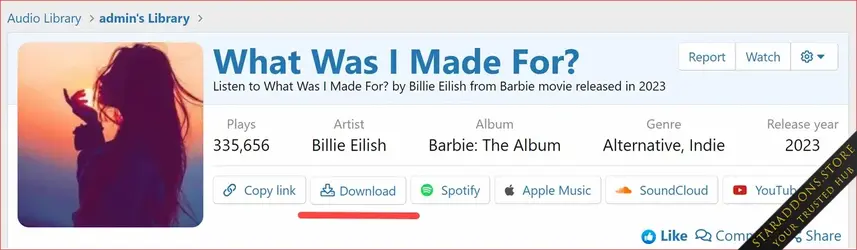
- Users with permission can download the audio track right from the view page.
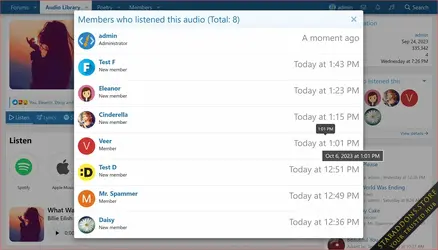
- Display of plays count as each and every play of profile audio is now logged and tracked.
- Link buttons for various music streaming services (Spotify, Apple Music, SoundCloud, YouTube Music).
- Embedded media tabs for various music streaming services (Spotify, Apple Music, SoundCloud, YouTube Music).
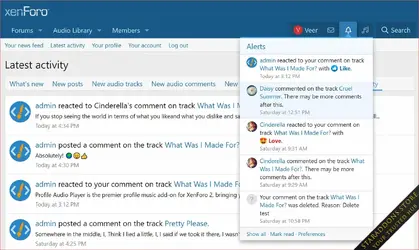
- Users can react as we added reaction support for profile audio.
- Users can share audio as we enhanced sharing options for the audio.
- Users can report an audio as we added functionality to report profile audio.
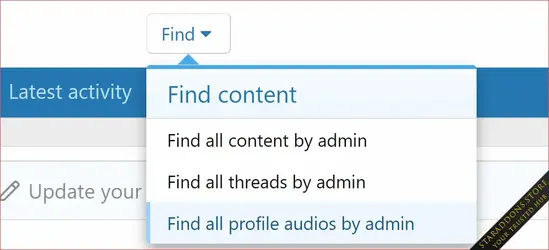
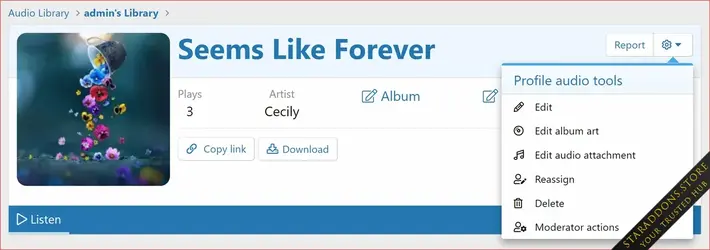
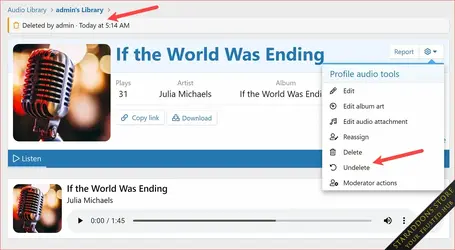
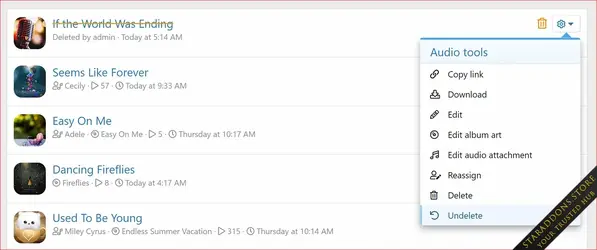
- Tools menu that quickly Edit details, Edit album art, Edit audio attachment, Reassign, Delete and view moderator actions.
- Audio information block in sidebar displaying username, add date, last update date, plays count.
- Share this Audio block in the sidebar.
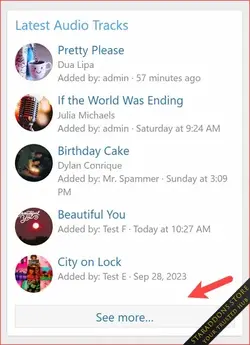
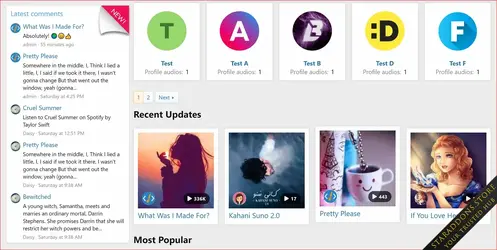
- Latest audio tracks widget in the sidebar.
- Widget position in sidebar.
Profile Audio Library Index
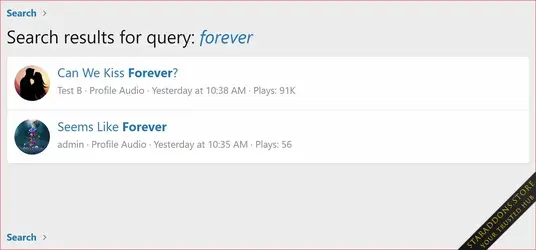
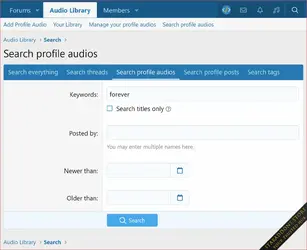
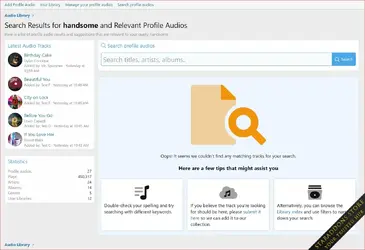
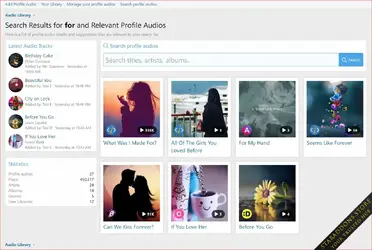
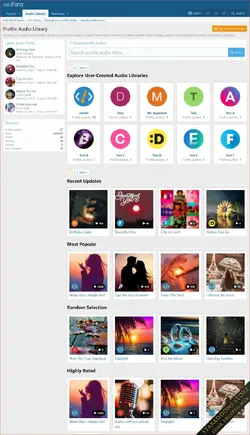
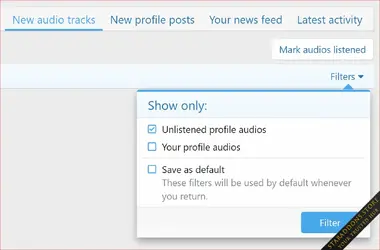
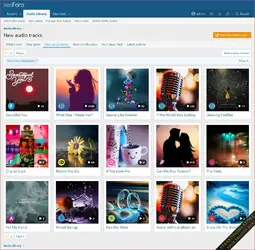
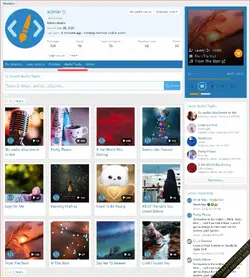
Discover a new audio library section, showcasing audio collections with a clean grid layout and advanced search options.- Introduced brand new audio library section showcased all users' collections in a grid layout, ensured a clean and organized design to improve user experience.
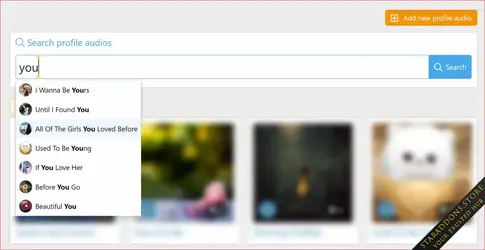
- AJAX Search Box at the top that support autocomplete allows users to search for audio titles, artist and albums.
- Users' audio libraries (collections) are showcased in a grid layout.
- Each user library item includes the user's avatar and the count of audio tracks it contains.
- Improved page navigation with a pagination feature to browse through audio libraries.
- Implemented a new grid layout to showcase audio tracks.
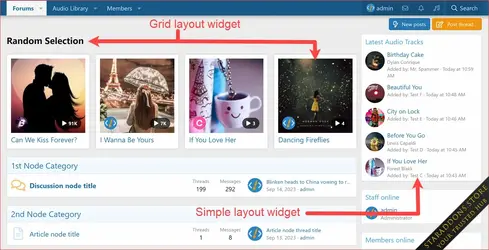
- Audio tracks are displayed using widgets with different order options: Create date, Recent update, Most popular (based on plays count), Highly rated (based on user reactions), and random selection.
- For administrators, there is additional guidance and information provided.
- Added a latest audio tracks widget in the sidenav.
- Added a statistics block in the sidenav.
- Provides statistics such as Total Profile audios, total plays, artists, albums, genres, and user libraries count.
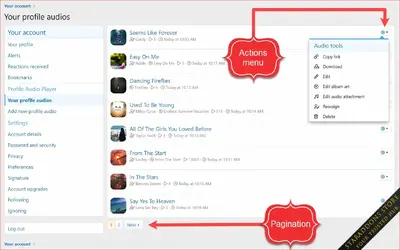
 Manage Your Profile Audios
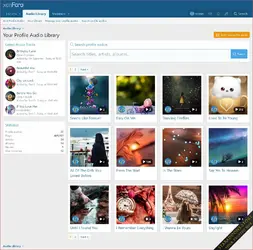
- Legacy "Manage Your Playlist" page replaced with all-new "Manage Your Profile Audios".
- Displays complete list of profile audios added by the user.
- Each profile audio entry displays:
- Title with a link to the audio view (quick view in an overlay).
- Artist name, if available.
- Album name, if available.
- Album art image, if available. If no album art is available for an audio, a default album art is displayed.
- Album art tooltip for additional information.
- Number of plays the audio has received.
- Lyrics, if available, the audio entry displays a snippet of the lyrics.
- Creation date.
- Last edit date (if edited).
- Options menu for managing audio actions.
- Users can perform various actions on their profile audios, including:
- Copying the profile audio link to the clipboard.
- Downloading the audio file (if permitted).
- Editing details such as title, artist, album, release year, lyrics and more.
- Editing album art.
- Editing audio attachment.
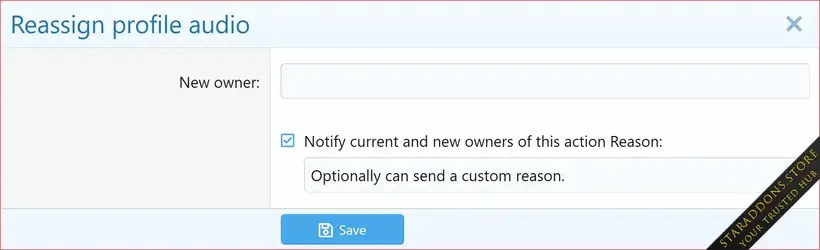
- Reassigning ownership of the profile audio.
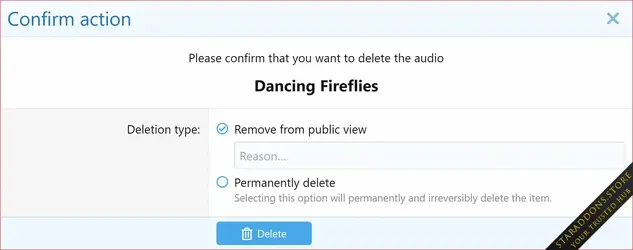
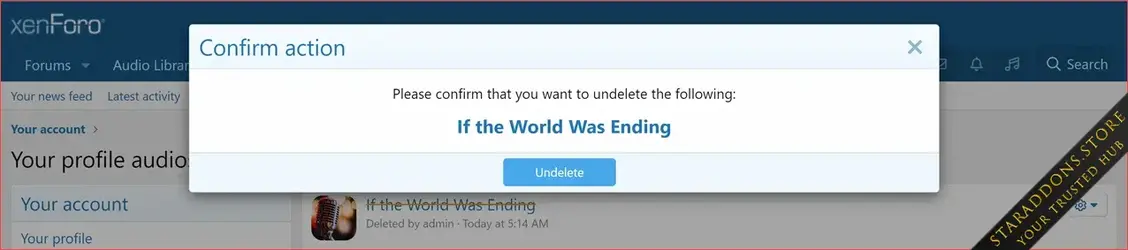
- Deleting the profile audio.
- Pagination:
- Users can navigate through their profile audios using pagination.
- The number of profile audios displayed per page is customizable via Admin option (Profile audios per page).
- Empty Section Handling:
- If the user has not added anything yet, a message prompts the user (with link) to add their first profile audio.
New in version 2.2.4
This is a refinement-focused update that improves compatibility with XenForo 2.3 light and dark styles. This version introduces a modern, CSS-based lyrics display, replaces outdated assets, and removes legacy style properties. We've also reworked the supported audio file guidelines popup to be fully translatable, and made several behind-the-scenes code improvements for better maintainability.For a detailed list of all changes, please refer to the changelog.
 New Features & Enhancements
- Redesigned lyrics display using modern CSS for improved appearance and full support for light and dark styles. (Suggested by @Chris59 and others)
- Removed legacy style properties: Profile audio lyrics text stripes and Profile audio lyrics text stripes default.
- Cleaned up unused legacy assets:
- data/assets/xcu_profile_audio/txtstripes_large.gif and index.html are no longer shipped with the addon.
- Reworked Supported Audio Files guidelines template to use fully phrased text for better translation support. (Suggested by @Chris59)
- Improved underlying code for better consistency and maintainability.
 Bug Fixes
- Fixed a missing phrase in the moderator log for profile audio comment edits.
-
 Profile Audio Player & Library63.webp
 -
 Profile Audio Player & Library62.webp
 -
 Profile Audio Player & Library61.webp
 -
 Profile Audio Player & Library60.webp
 -
 Profile Audio Player & Library59.webp
 -
 Profile Audio Player & Library58.webp
 -
 Profile Audio Player & Library57.webp
 -
 Profile Audio Player & Library56.webp
 -
 Profile Audio Player & Library55.webp
 -
 Profile Audio Player & Library54.webp
 -
 Profile Audio Player & Library53.webp
 -
 Profile Audio Player & Library52.webp
 -
 Profile Audio Player & Library51.webp
 -
 Profile Audio Player & Library50.webp
 -
 Profile Audio Player & Library49.webp
 -
 Profile Audio Player & Library48.webp
 -
 Profile Audio Player & Library47.webp
 -
 Profile Audio Player & Library46.webp
 -
 Profile Audio Player & Library45.webp
 -
 Profile Audio Player & Library44.webp
 -
 Profile Audio Player & Library43.webp
 -
 Profile Audio Player & Library42.webp
 -
 Profile Audio Player & Library41.webp
 -
 Profile Audio Player & Library40.webp
 -
 Profile Audio Player & Library39.webp
 -
 38.webp
 -
 Profile Audio Player & Library37.webp
 -
 Profile Audio Player & Library36.webp
 -
 Profile Audio Player & Library35.webp
 -
 Profile Audio Player & Library34.webp
 -
 Profile Audio Player & Library33.webp
 -
 Profile Audio Player & Library32.webp
 -
 Profile Audio Player & Library31.webp
 -
 Profile Audio Player & Library30.webp
 -
 Profile Audio Player & Library29.webp
 -
 Profile Audio Player & Library28.webp
 -
 Profile Audio Player & Library27.webp
 -
 Profile Audio Player & Library26.webp
 -
 Profile Audio Player & Library25.webp
 -
 Profile Audio Player & Library24.webp
 -
 Profile Audio Player & Library23.webp
 -
 Profile Audio Player & Library22.webp
 -
 Profile Audio Player & Library21.webp
 -
 Profile Audio Player & Library20.webp
 -
 Profile Audio Player & Library19.webp
 -
 Profile Audio Player & Library18.webp
 -
 Profile Audio Player & Library17.webp
 -
 Profile Audio Player & Library16.webp
 -
 Profile Audio Player & Library15.webp
 -
 Profile Audio Player & Library14.webp
 -
 Profile Audio Player & Library13.webp
 -
 Profile Audio Player & Library12.webp
 -
 Profile Audio Player & Library11.webp
 -
 Profile Audio Player & Library10.webp
 -
 Profile Audio Player & Library9.webp
 -
 Profile Audio Player & Library8.webp
 -
 Profile Audio Player & Library7.webp
 -
 Profile Audio Player & Library6.webp
 -
 Profile Audio Player & Library5.webp
 -
 Profile Audio Player & Library4.webp
 -
 Profile Audio Player & Library3.webp
 -
 Profile Audio Player & Library2.webp
 -
 Profile Audio Player & Library1.webp
 -
 Profile Audio Player & Library.webp
![[XenCustomize] Events Manager](https://data.staraddons.store/resource_icons/0/40.jpg?1761333273)
![[DBTech] DragonByte Social Groups](https://data.staraddons.store/resource_icons/0/149.jpg?1762279466)


