

Staraddons


♦️ Highest Ranked - 1000 Posts
Topic initiator
NOTE: Please do NOT PM me for support. Private Messages are only for exchanging sensitive details.
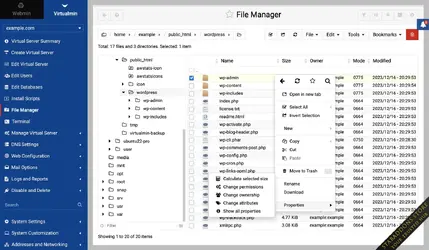
Virtualmin Pro is widely regarded as a strong choice for server and webhosting control, especially when you compare its features, flexibility, and cost to many commercial options. Here are the main reasons why many users think "Virtualmin Pro is so good" plus a few trade-offs to consider.
What makes Virtualmin Pro good
- Feature Richness in a Commercial Product + GPL Base
Virtualmin comes in two versions: GPL (free, open source) and Pro (paid). The GPL version already gives you a lot of functionality; the Pro version adds many features that are especially useful in a business or managed hosting environment. - Reseller / Multi-Tenant Support
If you need multiple levels of accounts (e.g. resellers who can create virtual servers themselves), Pro supports reseller accounts, which is a key capability for hosting providers. - Advanced User/Resource Management
Pro has more fine-grained controls: limits on CPU/memory, multiple webserver users per domain (not just Unix system users), SSH key management from UI, etc. This helps isolate users, distribute resources, increase security. - Web Apps / Script Installer
A large library of install scripts for various web applications (CMS, forums, etc.) is included in Pro, making it easy to spin up WordPress, Drupal, or other apps. Frequent updates of those scripts are handled by Virtualmin. - Better Monitoring, Graphs & Logging
Pro includes historical resource usage graphs (CPU, memory, disk, etc.), better log search, alerts, etc., which are very useful when managing many domains or for SLA / uptime expectations. - Cloud & External Service Integration
Features like integration with cloud DNS providers (Cloudflare, Amazon Route 53, Google Cloud DNS), cloud backups (Amazon S3, Google Drive, etc.), support for remote DNS, etc., are more advanced or better supported in Pro. - Support / Priority & Developer Feedback
Pro customers tend to receive priority support. Also, feature requests from Pro users are more likely to be considered and implemented, which helps the software evolve in ways that matter for professional hosting. - Cost-Effective vs Some Commercial Panels
Many remarks in the community say that for what you get, Virtualmin Pro is quite affordable compared to proprietary panels like cPanel, Plesk, etc. If you need many domains, reseller support, or heavy resource usage, Virtualmin often delivers strong value. - Flexibility & Standardization
Virtualmin tends to stick closer to standard Linux / system tools rather than imposing too many proprietary layers. This makes troubleshooting easier (since many things behave like on a regular Linux server), customization more possible, and migrating away or integrating more flexible.
Trade-offs / What to watch out for
While Virtualmin Pro is strong, it's not perfect or always the best, depending on your needs. Some downsides:- Learning Curve: Because it's powerful and flexible, there is complexity. Less polished UI compared to some paid panels, or more "under the hood" configuration required by you.
- Less "Out-of-the-box" polish: Some commercial panels may have more refined UI, more bundled features in certain niche integrations.
- Support Guarantees: Though Pro has priority support, it may not always match the service‐level agreements (SLAs) offered by big proprietary panels unless you pay more.
- Resource Usage for Large Setups: If you have thousands of domains, care is needed around performance tuning; some users report Virtualmin slowing if not configured/tuned properly. But Pro has improvements (see domain scalability in recent versions).

Here's a side-by-side comparison of Virtualmin Pro vs cPanel (or cPanel + WHM) to help you see which might be better depending on specific needs (cost, features, usability, etc.).
Key differences & comparison
Aspect | ||
| Licensing / Cost | Virtualmin Pro has a relatively modest cost. The "Professional Annual Subscription" starts from USD 75/year. Monthly version is available from USD 7.50/month for smaller domain counts. | cPanel's licensing is significantly more expensive, particularly for multiple accounts. Recent pricing (2025) for "Store Licenses" includes tiers like Solo (1 account) = USD 26.99/month, Admin (up to 5 accounts) ≈ USD 32.99, Pro (up to 30 accounts) ≈ USD 46.99, Premier (100+) ≈ USD 65.99 + additional per account. |
| Scaling / Number of domains/accounts | You pay once, and you can have many domains with flexible scaling (you pick domain limits, resource limits etc.). The cost doesn't blow up the same way when you add many small domains. | As you increase the number of cPanel accounts (domains/users) on a server, the cost increases steeply. Once past certain thresholds (e.g. 30, 50, 100 accounts), you move into higher priced tiers, or pay per-account charges. |
| Operating system compatibility / Stack flexibility | Highly flexible with support for many Linux distros (Ubuntu, Debian, RHEL / AlmaLinux / Rocky, etc.). Allows choice of web server (Apache, Nginx), database systems (MySQL, MariaDB, PostgreSQL), mail stack, etc. Very modifiable. | More restricted stack. cPanel historically has stronger focus on RHEL-based distributions, plus built-in services (Apache, Exim, etc.). Less flexibility to choose or switch certain components; some customisation is possible but often via plugins or external work. |
| User interface & ease-of-use | More powerful for technical users; more granularity and control. However, steeper learning curve; UI is functional but less polished or beginner-friendly than cPanel. Some tasks might require knowledge of Linux, command line or configuration files. | Very polished UI, more "smooth" UX; built for less technical users/resellers; many features "just work" out-of-box. Good integration, automatic tasks, etc. Easier to train non-technical staff or end users. |
| Feature completeness / Automation | Virtualmin Pro has many advanced features: resource limits, reseller accounts, cloud DNS, external storage backups, multiple install-scripts, etc. Very strong, especially for someone who wants full control. | cPanel has many mature features, generally well-integrated: backups, clustering of DNS, account management, security tools, auto-SSL etc. Also lots of third-party plugins, ecosystems. Some tasks are more automated or turnkey. |
| Support & Community | Virtualmin has both free (community) and paid support. Pro license gives priority ticket support. Documentation is good; community is active. | cPanel has very strong commercial support, many hosting providers are familiar with it, large knowledge base, lots of tutorials and third-party help. This is a mature and widely used product. |
| Performance / Resource usage | Generally more lightweight and flexible; better option in lower-resource environments if properly configured. Because you choose what to enable, can keep the footprint smaller. | Tends to use more resources, especially as you enable more features, have more accounts; the overhead of maintaining many services, UI, etc., can be non-trivial. Less "lean" when you want minimal setup. |
| Cost predictability | More predictable, especially if you have many small domains: you aren't paying per-account surcharges in most cases; cost increases when you want more features or more domain caps, but tends to be smoother. | Less predictable: when domain counts increase, licensing steps you into next higher cost tier; sudden jumps. Also license price increases are not uncommon. |
When Virtualmin Pro might be the better choice
You'll likely prefer Virtualmin when:- You have many domains/accounts and want to avoid the per-account cost escalation that comes with cPanel.
- You're comfortable with more technical control editing configs, using the command line, etc.
- You want flexibility over what components are used (web server, mail server, DNS, external services).
- You are cost-sensitive and want more predictable, lower licensing costs.
When cPanel might be better
cPanel may be the better choice when:- You want a polished, easy experience for end users with minimal technical hassle.
- You have less sysadmin experience or prefer that less is required in terms of manual setup.
- You expect to use many of the "out-of-box" commercial integrations (some specific plugins, managed WordPress tools, etc.) that cPanel has.
- You want great compatibility/support from hosting providers, which often default to cPanel/WHM, so moving servers, support services are more readily available.
Last edited: