





- Language
- English
- Compatible XF 2.x versions
- 2.0
- 2.1
- 2.2
- 2.3
Banner management system.
Displays banners in your header, forum list, forum view and thread view and widget. The Banner add-on is designed to serve self hosted images.
(Example of banners displayed in the forum list)

Features:
To add a banner widget in the sidebar do the following:
Admin Control Panel -> Appearance -> Widgets
Add widget
Select Banner and Add widget
Enter the following:
Widget key = banner
Title = {enter widget block title}
Display in positions = Forum list: Sidebar
Database modification:
This add-on will add a table called xf_andy_banner to your database.
Displays banners in your header, forum list, forum view and thread view and widget. The Banner add-on is designed to serve self hosted images.
(Example of banners displayed in the forum list)
Features:
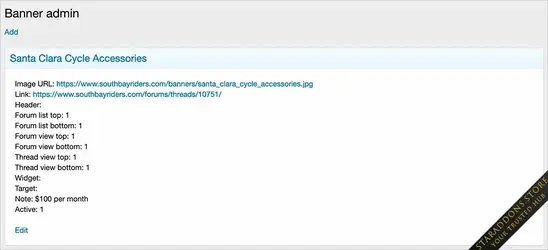
- Banners can be displayed in 8 different locations in the Banner admin page.
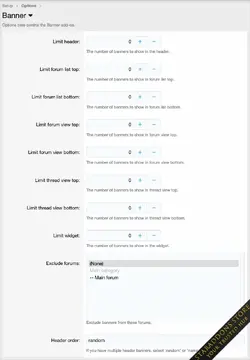
- The number of banners per location can be set in the Banner options page.
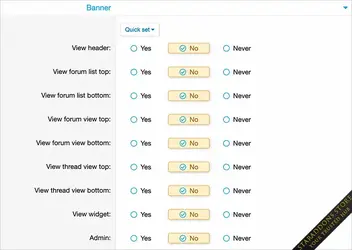
- Which user group sees banners can be set in the User group permissions.
- Banners can be disabled in mobile view in the banner.less template.
- Banners are displayed in random order, each page reload displays a new set of banners.
- Multiple header banners have the option to display in 'random' or 'name' order.
- All phrases start with banner_ for your convenience.
- In the Admin Control Panel, set User group permissions.
- In the banner options page, set the number of banners to show for each location.
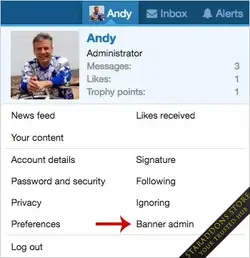
- In the Visitor tab, click the Banner admin link.
- Click the Add link.
- Fill out the information and save.
To add a banner widget in the sidebar do the following:
Admin Control Panel -> Appearance -> Widgets
Add widget
Select Banner and Add widget
Enter the following:
Widget key = banner
Title = {enter widget block title}
Display in positions = Forum list: Sidebar
Database modification:
This add-on will add a table called xf_andy_banner to your database.
![[XC] Ranking System](https://data.staraddons.store/resource_icons/0/428.jpg?1766624371)


