

| XF 2.3 Add-ons (Free) AndyB Register email 4.8
-
Author
Staraddons




- Creation date
-
- Tags
- andyb register email
How to install the MaxMind GeoIp2 library
The GeoIp2 library allows reading the GeoLite2 database located on your server and you can lookup as many IP addresses as you like. The GeoIp2 library is free and is easy to install.
Installation instructions
- Create a directory called maxmind in your /home/username directory.
- Log into your server using SSH, log in as a cPanel user or equivalent (do not log in as root). Or if using cPanel go to the Terminal.
- Navigate to the /home/username/maxmind directory.
- Enter the following command
composer require geoip2/geoip2:~2. - Composer will install the GeoIp2 library.
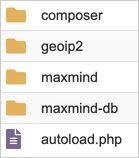
Example of the vendor directory.
You need to register on the https://www.maxmind.com/ web site. Click the Sign in link and then Register.
Manually downloading the database:
In order to use the GeoIp2 library, you will need to download the GeoLite2-City.mmdb database.
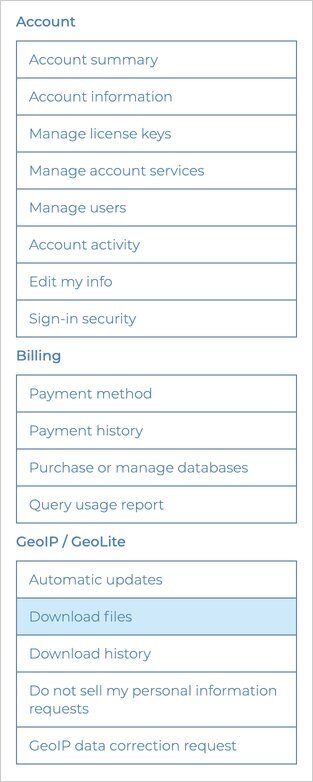
Go to Download files:
Download the Download GZIP file.

Unpack the GZIP file and upload the GeoLite2-City.mmdb file to your /home/username/misc directory on your server. Last step is to update the add-ons options page with the path to the autoload.php and GeoLite2-City.mmdb files.
Automatically downloading the database:
The preferred method of downloading the database is to use the Maxmind updater add-on.
Legal Notice
Inactive member accounts are automatically deleted after 1 month. Some countries cannot register and are not allowed to register on this website, there is a reason for that.
All duplicate accounts will be banned and a warning will be issued to the primary account holder.
To ensure a positive and productive experience for everyone, please take a moment to review the site's guidelines and community rules outlined in the link here. Website Rules of Conduct