- Compatible XF 2.x versions
- 2.3
- Additional requirements
- XenForo 2.3 or later.
XenForo Resource Manager (XFRM)
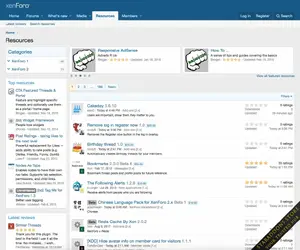
The XenForo Resource Manager is an add-on that allows you to manage resources such as files and tutorials or other article-like content along side your normal forum. The aim is allow content such as files to be listed with a focus on the initial content rather than discussion surrounding it.Resource categories
Resources will be placed into individual categories that are organized into a tree. In this regard, they are very similar to the node tree.Each category can control the types of resources that can be added to that category via the Allowed resource types option. If a category has any children, their resources will be listed when viewing the parent category. To create a category that is only used for organizing other categories, deselect all Allowed resource types from it.
Whenever a resource is posted into a category, a thread can automatically be created in a designated forum. This allows a separate discussion for each resource. If the Automatically create thread in forum option is configured, the resource will link to the discussion thread and the discussion thread will link back to the related resource. If this value is changed, it will not apply to any existing resources.
Resource prefixes
Resource prefixes function identically to thread prefixes. This can be used to allow additional organization without creating more categories. More details are available within the thread prefixes section.Resource fields
Custom resource fields allow you to define additional structured fields for users to fill in when creating a thread. These are similar to custom thread fields.Resource fields can be displayed in one of several locations:
- Above resource description: with the resource description, directly before it.
- Below resource description: with the resource description, directly after it.
- Extra information tab: on a separate tab named Extra. All fields set to this value will be displayed on this tab.
- Own tab: on its own tab, named by the field name. This is helpful if you have a custom field where users are likely to enter a lot of content (such as in a FAQ).
Permissions
The Resource Manager adds a number of new permissions. When installed, reasonable defaults are selected based on existing permissions. However, you should confirm that the permissions meet your needs and that your moderators have the permissions you want.Options
The Resource Manager's options can be found in the XenForo resource manager option group.What's new in XenForo Resource Manager 2.3?
There is nothing entirely brand new to show you today in XenForo Resource Manager 2.3 but throughout the development of XenForo 2.3 we have introduced the split-score review graph along with a slew of changes by virtue of the general framework improvements in XenForo 2.3. Let's have a look at them.Split-score review graph
We've had this live here since Beta 1 but in case you don't venture over to Resources very often, this is what it looks like:This gives us an at-a-glance view of the distribution of ratings for each resource. On resource lists, hovering over the rating stars will display the full split graph in a tooltip:
Featured resources changes
Featuring content in XenForo initially got its debut in XenForo Resource Manager many years ago! With the inclusion of featured content as a generic feature in the core software we have of course now replaced the legacy implementation of featured resources over to the featured content system in XenForo 2.3 and benefits from the updated feature set there.Image optimization
Along with the image optimization features in XenForo 2.3, resource icons are also optimized at the point of upload. You can also rebuild the existing resource icons to convert them to WebP either through the admin control panel or through thexf-rebuild:xfrm-icon-optimization command.Auto-complete search
The aforementioned search suggestions/auto complete feature which is new in Enhanced Search 2.3 also supports resource items. Here's a specific example which shows resources mixed with thread results, though you can of course, where supported, use the search menu to filter on specific content types and the search suggestions will be constrained to that.Webhooks
We have added resource manager events for various resource content types which trigger outgoing webhooks!To learn more about webhooks, checkout the HYS thread here.